
Three correct answers
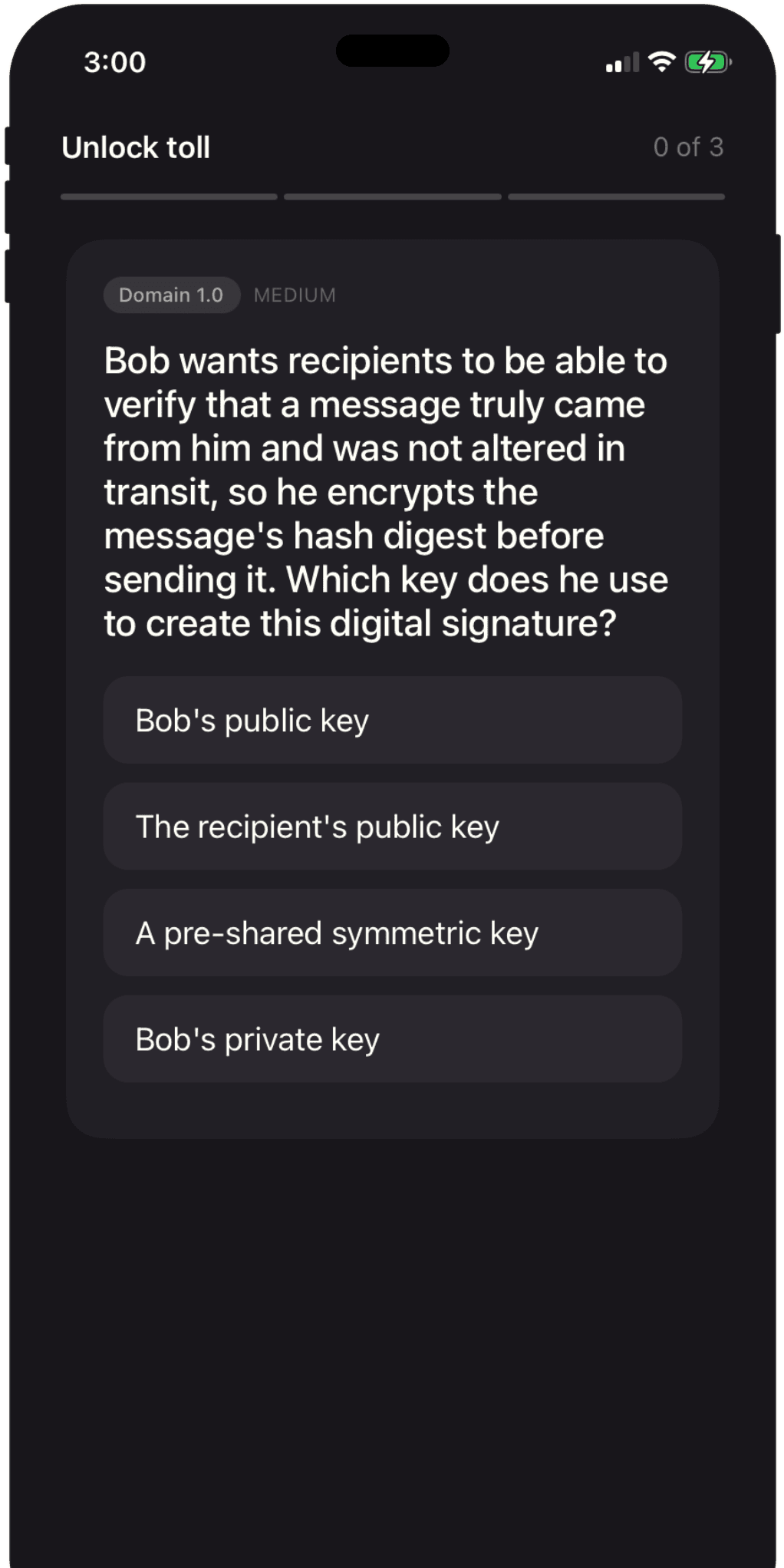
Every attempt to open a guarded app starts a short Security+ quiz. Wrong answers teach the concept and serve a replacement question.
Security+ study that blocks the scroll
CertLock puts three CompTIA Security+ questions between you and your most distracting apps. Finish the toll, get your scroll—and build study momentum without scheduling another study session.
No account Works offline You choose the blocked apps
The problem is not intention
You already reach for distracting apps dozens of times a day. CertLock puts the studying inside that reach.
Built around one strong loop
No giant course library. No social feed. Just the pieces that make tiny study sessions add up.
Every attempt to open a guarded app starts a short Security+ quiz. Wrong answers teach the concept and serve a replacement question.
Finish the toll and your chosen apps open for a predictable window. When time is up, the shield returns on its own.
Every answer updates your progress across the published SY0-701 domains, so quick reps become visible exam preparation.
Complete a deliberate 15-question session once per day to turn off shields and reminders for three full hours.
The 30-second loop
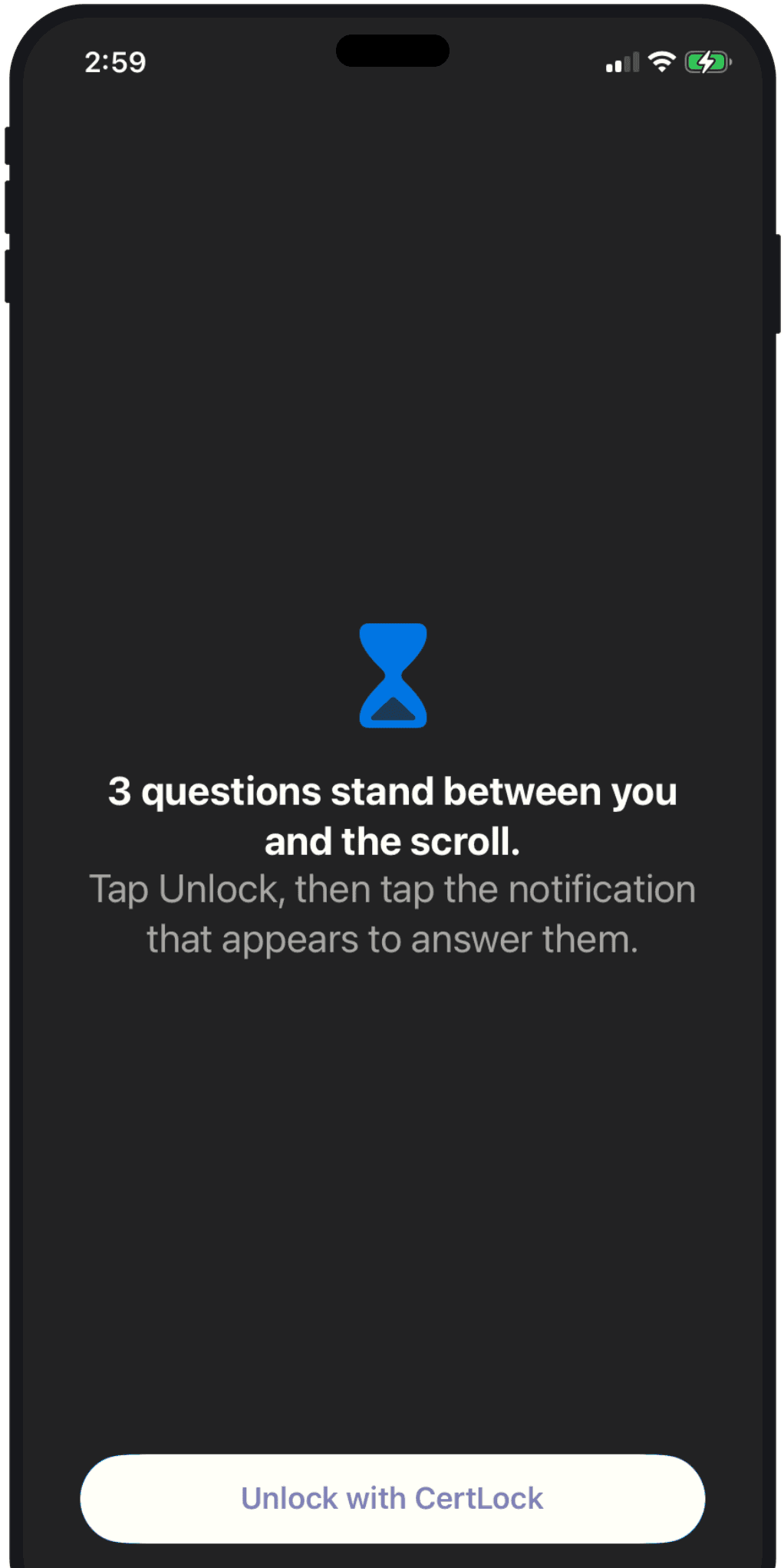
Open TikTok, Instagram, or any app you chose. Apple’s Screen Time shield appears instantly with one route forward: Unlock with CertLock.
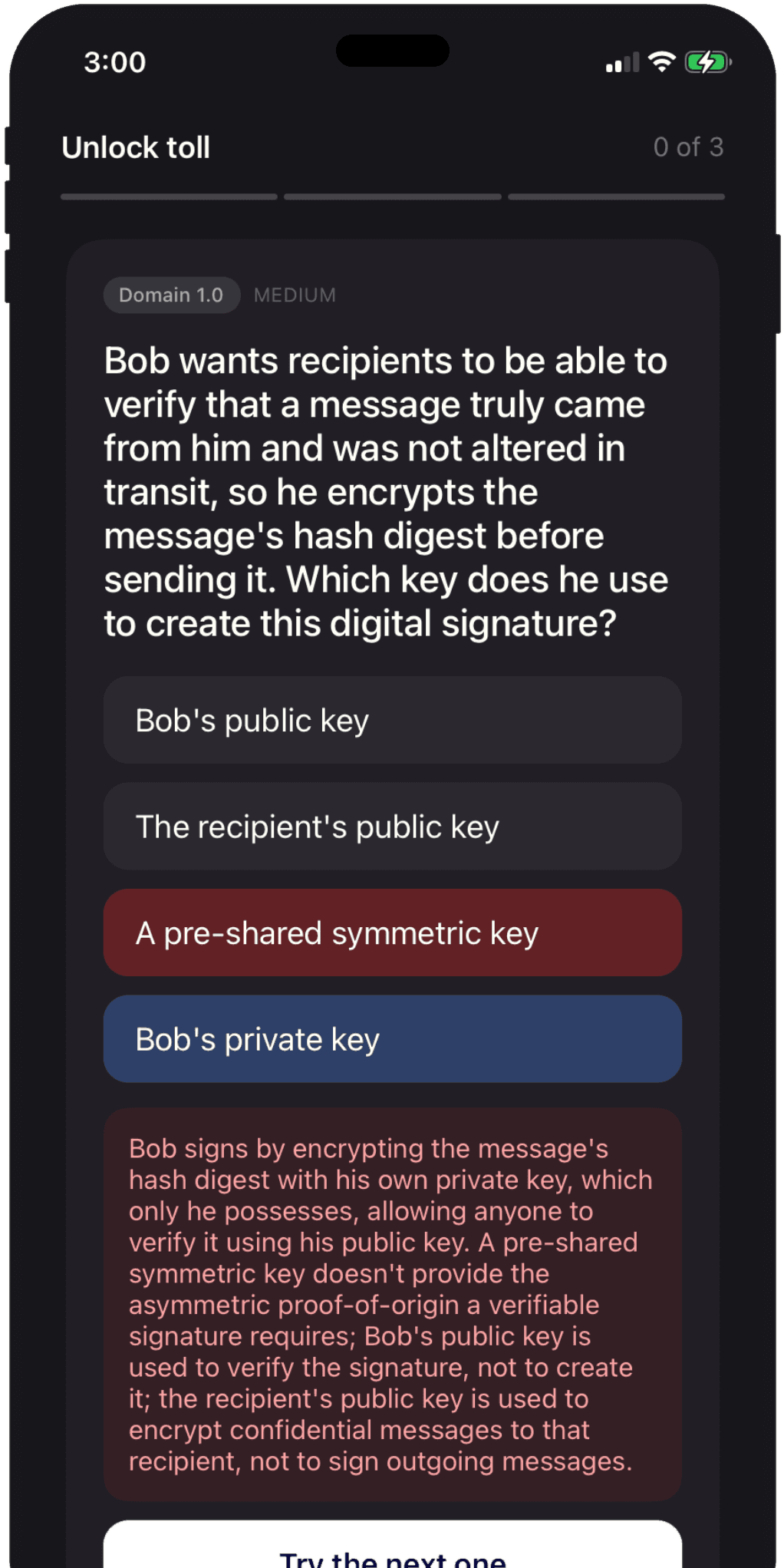
Each tap gets immediate visual, haptic, and audio feedback. Miss one and CertLock explains the answer before serving a replacement.
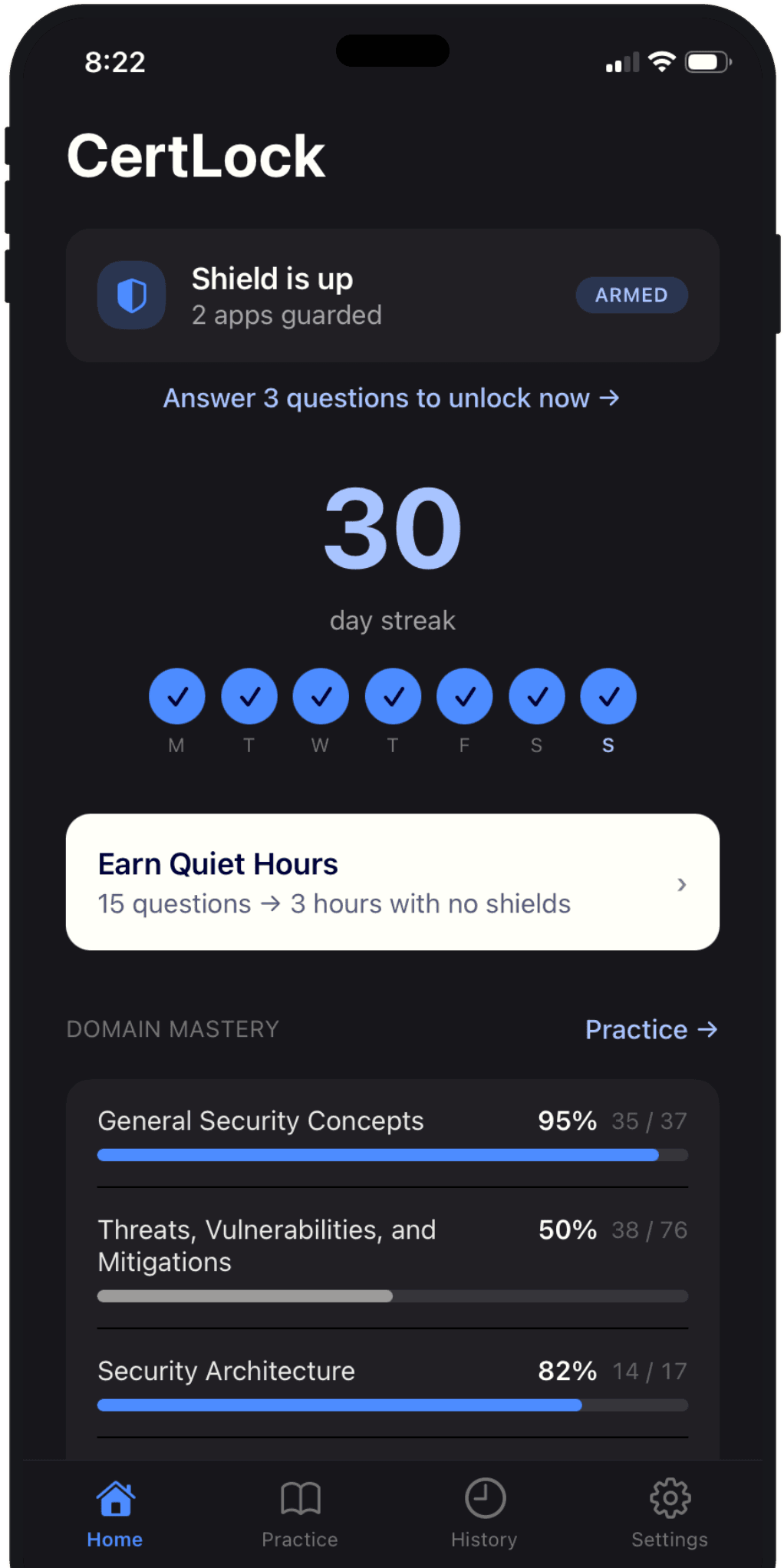
Your apps open for the duration you chose. Meanwhile, streaks, history, and domain mastery make every small rep visible.
A relief valve that still works
A blocker with no off-switch gets deleted. CertLock makes the easiest path to a real break a real study session.
questions correctonce per day
→3hno shieldsno reminders
Simple pricing
Every plan starts with a three-day free trial. Security+ questions are included.
Try the full CertLock loop with the flexibility to cancel any time.
Start free trialBuild the habit for a full year and save compared with monthly billing.
Start free trialSubscriptions renew automatically unless canceled in your Apple account settings.
Questions, answered
No. Premium unlocks the blocking mechanic; it never removes the toll. Every re-entry still costs three correct answers.
CertLock shows a one-line explanation, then replaces that question. You keep going until three answers land correct.
Yes. CertLock uses Apple’s native Family Controls picker, so you decide which apps trigger the shield.
No account is required. The Security+ question bank and your core study history are stored on your device, so the quiz works offline.
A once-per-day relief valve: answer 15 questions correctly and CertLock turns off shields and notifications for three hours.
CertLock is built for iPhone and targets iOS 26.5 or later so the shield can open the quiz directly in one tap.
Your distraction already has your attention
CertLock is available now on iPhone.
Download on theApp Store